Create programme
Primary programme fields extracted from the supplied design.
Programme setup, intake configuration, project assignment and review content consolidated from the supplied TOA design extraction.
Programme details, project assignment and review guidance grouped in one place.
Primary programme fields extracted from the supplied design.
Keep users oriented while moving through programme creation.
Labels captured from the global navigation and top bar.
Action placement remains stable across the multi-step task.
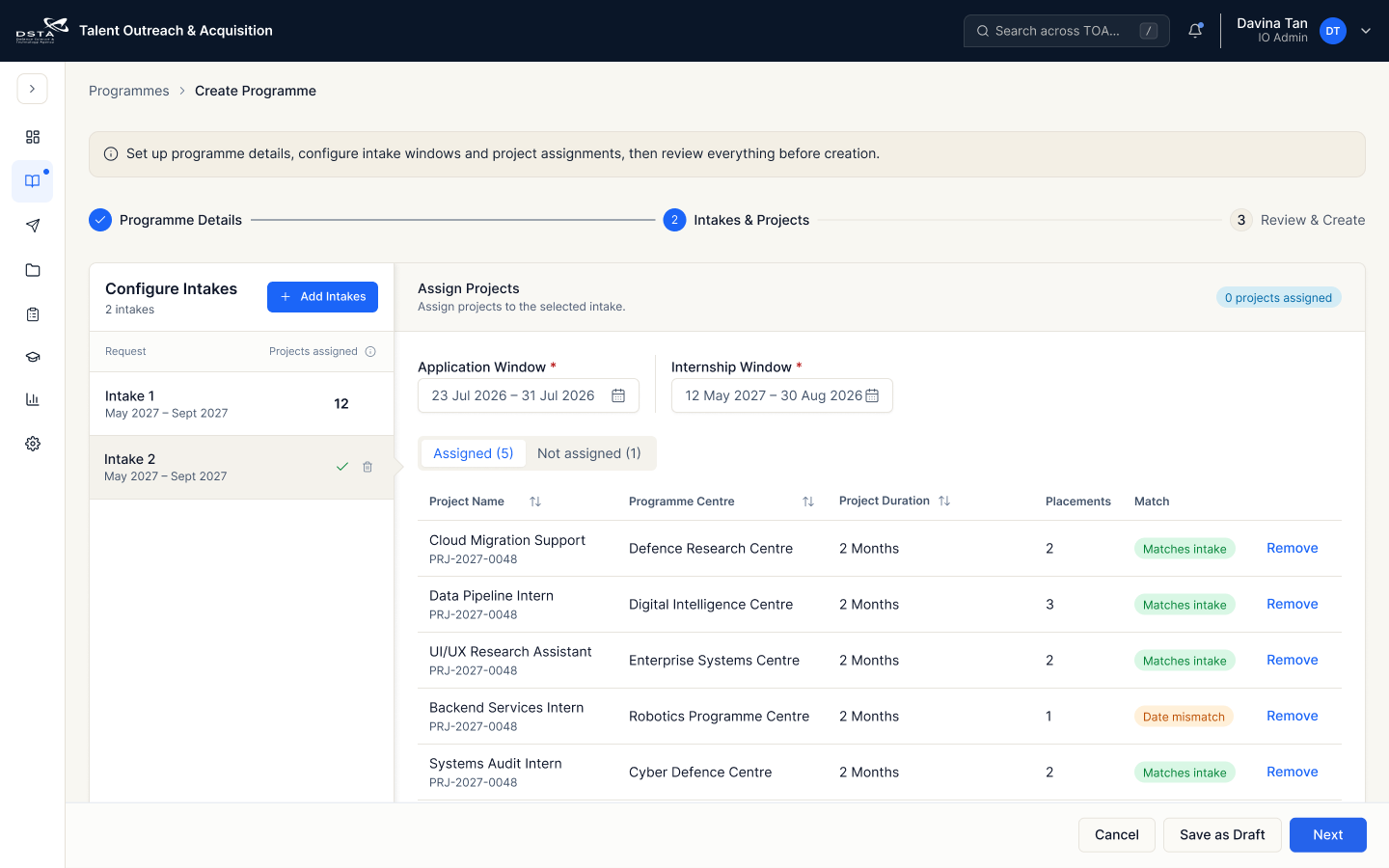
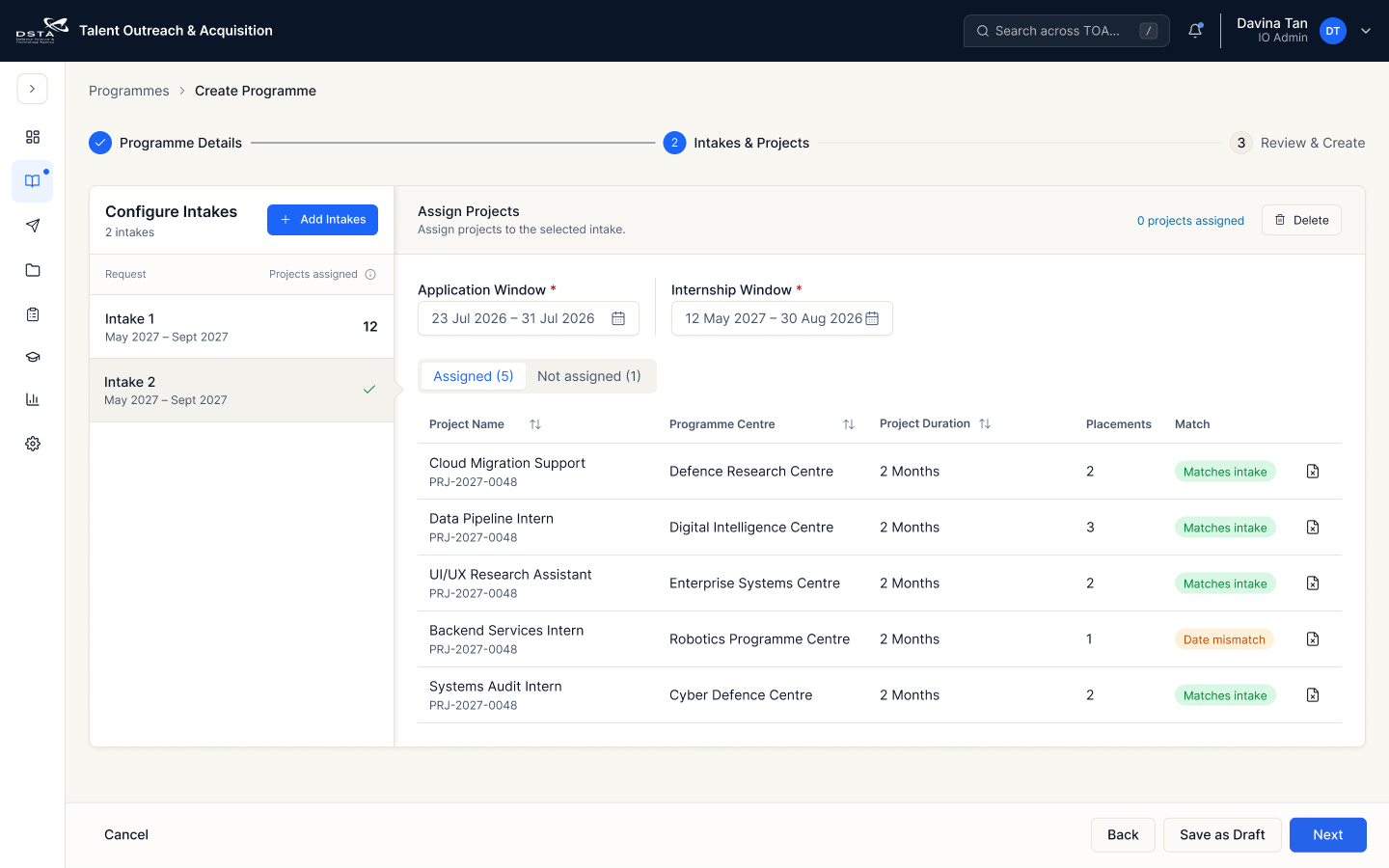
Compare the reviewed deletion pattern and sticky action-bar treatment from the A2 Programme Creation flow.
Make destructive actions explicit and consistent across page and row contexts.


Keep navigation and completion controls visible throughout the long intake task.


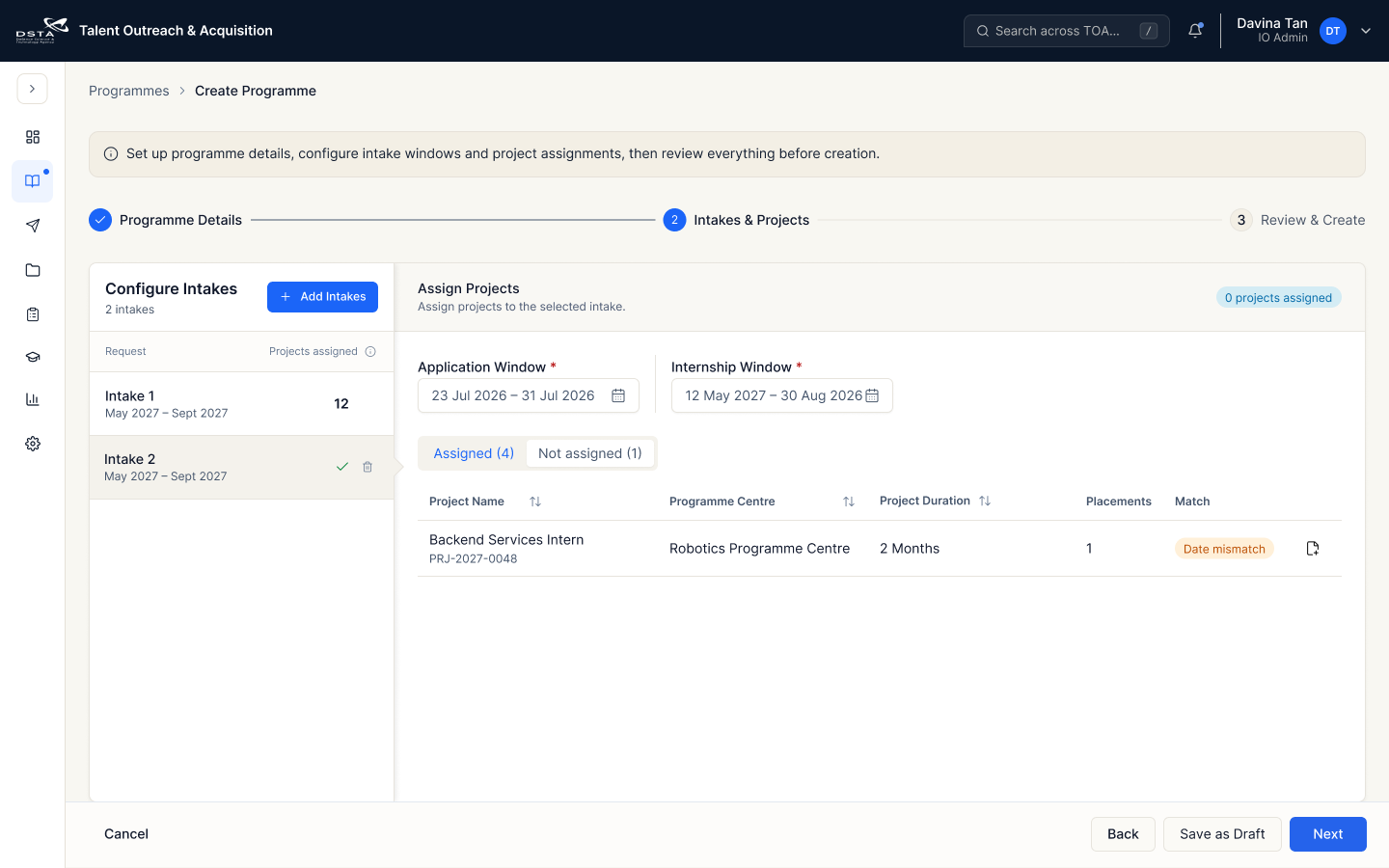
Assign matching projects to the selected intake and keep placement fulfilment visible.
Use explicit counts to separate assignment states.
Show placement progress without replacing the request status.
Core columns and representative content extracted from the design.
| Project name | Programme centre | Duration | Placements | Match | Status |
|---|---|---|---|---|---|
| Data Pipeline Intern | Digital Intelligence Centre | 2 Months | 3 | Matches intake | Pending |
| Cloud Migration Support | Defence Research Centre | 2 Months | 2 | Matches intake | Pending |
| Backend Services Intern | Robotics Programme Centre | 2 Months | 1 | Date mismatch | Review |
| Systems Audit Intern | Cyber Defence Centre | 2 Months | 2 | Matches intake | Assigned |
Confirm programme details, intake configuration and assigned projects before creation.
Bring the most important totals and exceptions together.
Keep placement and date issues visible before the final action.
The primary completion action remains anchored to the bottom-right.